- MPEG-4 Converter is a powerful MPEG-4 movie Converter which an convert all the videos compressed with MPEG-4 method (including .mp4 files) to other popular video formats such as convert MPEG-4 to WMV,WAV, 3GP. Further more, it supports all key HD video formats, which can convert HD videos to AVI, MPEG-4, WMV, MP4, DivX, XviD, H.264/MPEG-4, MOV, RM, ASF, 3GP, VOB etc.
All portable media players are supported by MPEG-4 Converter like iPod, iPhone, Apple TV, PSP, Xbox 360, Wii, Smart Phones, BlackBerry, Archos, Creative Zen, iRiver, Pocket PC, etc. With MPEG-4 Converter, you can enjoy HD movies on all of these devices. - With this step to step to convert MPEG-4 to WMV,WAV
- Free download MPEG-4 Converter and install it.
- 1. Add files - Click
 button on the toolbar, then select MPEG-4 files you want to convert.
 - 2. Set output format - Click Profile former drop-down list, choose the right category. Click the next drop-down list , then select the right format.
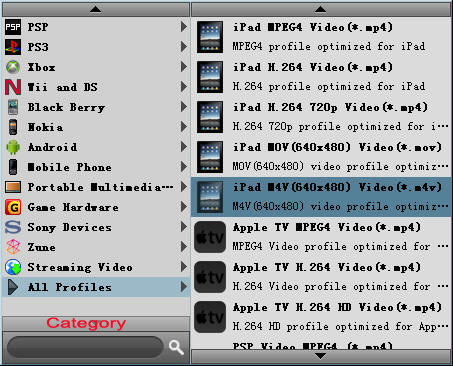
- This method helps you find the right output format quickly.
Tip: To adjust the output settings, click "Settings" button next to Profile drop-down list, and set the parameters of output format in the advanced profile settings window. - 3. Set output folder - Click Browse button to set a destination folder.

- 4. Convert files - Click
 button to start converting the files checked in the file list.
 - As a professional MPEG-4 movie converter, MPEG-4 Converter also provides powerful video editing functions. You can clip video segments, crop frame area and adjust frame effects to individualize your videos.
-